
Download VemoAI – AI‑Powered Voice Transcription Tool for Windows, Mac, Android & iOS
Overview
VemoAI is a web‑based, AI‑driven voice‑to‑text application that turns spoken words into accurate, editable written content in seconds. Built on the latest natural‑language processing models, the platform understands a wide range of accents, speaking speeds, and background noises, making it a reliable companion for anyone who regularly records ideas, interviews, lectures, or personal reflections. Whether you are a content creator looking to streamline scriptwriting, a student wanting to capture lecture notes, or a professional needing real‑time interview transcription, VemoAI offers a secure, cloud‑backed environment that keeps your data private while delivering fast, precise results.
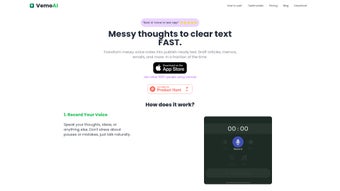
The interface is intentionally minimalist: you click “Start Recording,” speak naturally, and the AI instantly begins transcribing. After the session, you can edit the text, apply custom styling, or export it to popular formats like .docx, .pdf, or plain text. By removing the friction of manual typing, VemoAI boosts productivity, encourages brainstorming without interruption, and helps you preserve valuable spoken information in a searchable, shareable format.
Its versatility, combined with a free tier and affordable premium plans, positions VemoAI as a leading solution in the crowded voice transcription market.
Key Features
- Real‑time AI transcription with up to 98 % accuracy for English and major world languages.
- Automatic punctuation, capitalization, and paragraph detection.
- Speaker diarization – identifies and labels different speakers in multi‑person recordings.
- Custom vocabulary support – add industry‑specific terms, brand names, or technical jargon.
- In‑app text editor with formatting tools, find‑and‑replace, and markdown support.
- One‑click export to .docx, .pdf, .txt, and Google Docs.
- Secure cloud storage with end‑to‑end encryption and GDPR compliance.
- Cross‑platform accessibility – works on Windows, macOS, Android, iOS, and any modern browser.
- Offline mode for premium users – record locally and sync when internet is available.
- Integration with popular productivity suites (Zapier, Notion, Evernote) for automated workflow.
Each feature is designed to eliminate a common pain point in the transcription workflow. The real‑time engine means you never have to wait for a batch process to finish; you can see the text appear as you speak. Automatic punctuation reduces the need for post‑editing, while speaker diarization makes interview transcripts readable without manually tagging who said what. The custom vocabulary feature is a game‑changer for legal, medical, or technical professionals who frequently use specialized terminology. Finally, the integration capabilities let you push completed transcripts directly into your existing knowledge base, saving you valuable time that would otherwise be spent on manual copy‑pasting.
Installation & Usage Instructions
Because VemoAI is a cloud‑native web app, there is no traditional installation process for desktop users. Simply navigate to vemoai.com using any up‑to‑date browser (Chrome, Firefox, Edge, Safari) and create a free account with your email or Google credentials. After confirming your email, you’ll land on the dashboard where the “Start Recording” button awaits.
Step‑by‑step guide:
- Log in to your VemoAI account on the web or download the native app for Android/iOS from the Play Store or App Store.
- Click the microphone icon; grant the browser or app permission to access your device’s microphone.
- Speak naturally. The AI begins transcribing in real time, displaying text in the adjacent pane.
- When finished, press “Stop.” The transcription is saved automatically to your cloud workspace.
- Use the built‑in editor to correct any errors, add headings, or apply markdown styling.
- Choose “Export” to download the file or click “Sync” to send it to a linked Google Drive, Notion, or Dropbox folder.
Mobile users benefit from the same flow, with a touch‑optimized interface and optional offline recording. Premium subscribers can also enable “Live Caption” mode, which overlays subtitles on video calls (Zoom, Teams) for real‑time accessibility. For teams, the “Collaboration” feature lets multiple members view and edit a transcript simultaneously, complete with change‑tracking and comment threads.
VemoAI offers a free tier that includes 30 minutes of transcription per month, sufficient for occasional journaling or short interviews. Paid plans start at $9.99 per month and provide unlimited minutes, higher accuracy models, and priority support. All plans are billed monthly or annually with a 20 % discount for yearly subscriptions.
Compatibility, Pros & Cons
VemoAI runs on any modern operating system that supports a web browser: Windows 10/11, macOS 12+, Linux distributions, as well as Android 8+ and iOS 13+. Native desktop apps are available for Windows and macOS, delivering system‑level microphone access and offline caching. Mobile apps are lightweight, using less than 50 MB of storage, and they automatically adjust to device orientation for a seamless user experience.
Pros
- High transcription accuracy thanks to state‑of‑the‑art AI models.
- Real‑time results eliminate waiting periods.
- Cross‑platform support ensures you can work from any device.
- Secure, encrypted cloud storage protects sensitive data.
- Extensive export options and integrations streamline workflow.
- Free tier available for light users.
Cons
- Free plan limited to 30 minutes per month, which may be insufficient for power users.
- Accuracy can dip with heavy background noise or strong regional accents not covered by the model.
- Offline mode is restricted to premium subscribers.
- Advanced features (custom vocabularies, speaker diarization) require a paid subscription.
Overall Verdict: VemoAI delivers a compelling mix of accuracy, speed, and flexibility that makes it stand out among free and paid transcription tools. While the free tier’s minute cap may push frequent users toward a paid plan, the value offered at $9.99 per month—unlimited minutes, offline capability, and premium AI models—justifies the cost for professionals, educators, and content creators alike.
Frequently Asked Questions
Is VemoAI truly free to use?
VemoAI offers a free tier that includes up to 30 minutes of transcription each month. This is ideal for occasional journaling or short interviews. For higher usage, you’ll need to upgrade to a paid plan.
How secure is my data on VemoAI?
All recordings and transcriptions are encrypted both in transit (TLS) and at rest (AES‑256). VemoAI complies with GDPR and CCPA, ensuring that personal data is handled responsibly.
Can VemoAI handle multiple speakers?
Yes. The speaker diarization feature automatically identifies and labels different speakers, making interview transcripts clear and easy to follow.
Do I need an internet connection to transcribe?
Transcription is cloud‑based by default, so an internet connection is required. Premium users can record offline and sync the audio once they are back online.
What file formats can I export to?
VemoAI supports export to .docx, .pdf, .txt, and direct push to Google Docs, Notion, and other productivity tools via Zapier.
Conclusion & Call to Action
If you spend any amount of time turning spoken ideas into written content, VemoAI is a tool worth trying. Its AI backbone delivers near‑human accuracy, while the web‑first approach ensures you can start transcribing instantly from any device. The free plan gives newcomers a risk‑free taste, and the affordable premium subscription unlocks the full power of offline mode, custom vocabularies, and unlimited minutes. Whether you’re a blogger drafting scripts, a student capturing lecture notes, or a researcher interviewing subjects, VemoAI streamlines the workflow and lets you focus on what truly matters – the content itself.
Ready to boost your productivity? Sign up for a free VemoAI account today and experience AI‑driven transcription at its best.



.png)



